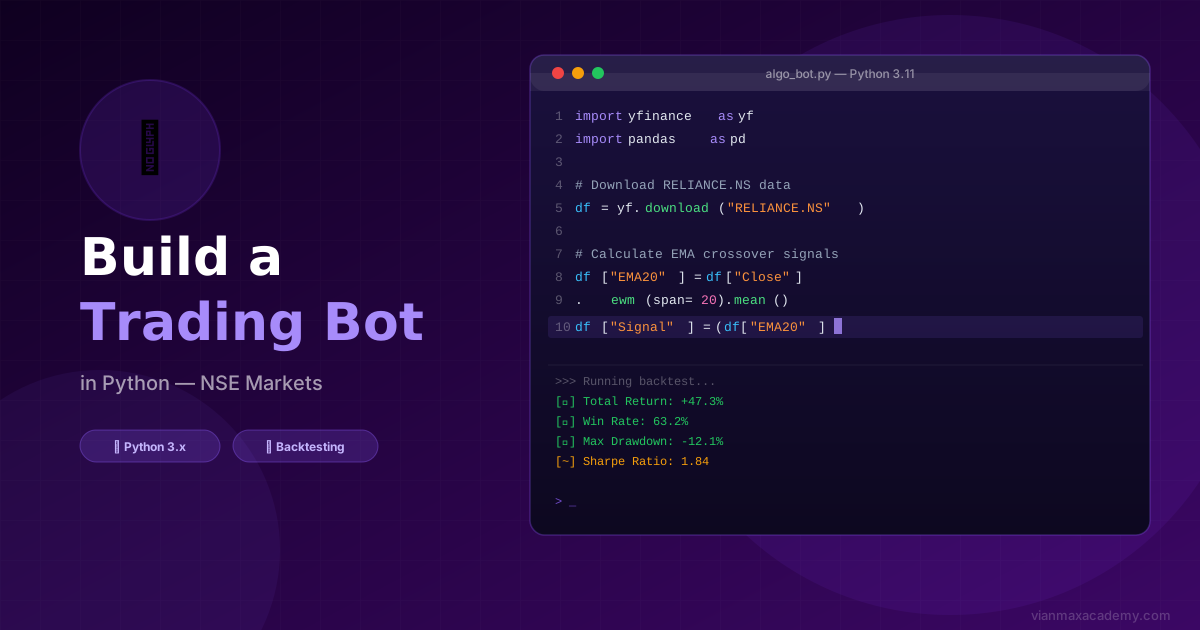
Algorithmic trading — or algo trading — means using code to automatically execute trades based on pre-defined rules. In India, the NSE processes millions of algo-generated orders every day. It is no longer just for large institutional players; with Python and a few key libraries, any programmer can build and test their own automated strategies.
This guide will walk you through building your first Python trading bot from scratch — fetching real NSE/BSE data, creating a simple moving average strategy, generating buy/sell signals, and backtesting it on historical data.
⚠️ Important: This guide is for educational purposes. Automated live trading in India requires SEBI-registered broker API access and carries significant financial risk. Always paper trade and backtest thoroughly before risking real capital.
Prerequisites
You need basic Python knowledge — variables, loops, functions and lists. You do not need advanced programming experience. Install Python 3.9+ from python.org if you haven't already.
Step 1 — Setting Up Your Environment
Open your terminal and install the required libraries:
pip install yfinance pandas numpy matplotlib- yfinance — fetches historical stock data from Yahoo Finance (includes NSE/BSE data)
- pandas — data manipulation and analysis
- numpy — numerical calculations
- matplotlib — charting and visualisation
Create a new Python file called trading_bot.py and open it in VS Code or any editor.
Step 2 — Fetching NSE Stock Data
For NSE stocks on yfinance, add .NS after the ticker symbol. For BSE stocks, use .BO.
import yfinance as yf
import pandas as pd

# Fetch Reliance Industries data from NSE
ticker = "RELIANCE.NS"
data = yf.download(ticker, start="2023-01-01", end="2024-12-31")

print(data.head())
print(f"Total rows: {len(data)}")
This will download daily OHLCV data (Open, High, Low, Close, Volume) for Reliance from NSE. You can replace RELIANCE.NS with any NSE symbol — for example HDFCBANK.NS, TCS.NS, or NIFTY50.NS for the Nifty 50 index.
Step 3 — The Moving Average Crossover Strategy
We'll build a simple but well-known strategy: the 20 EMA / 50 EMA Crossover.
The rules are:
- BUY signal — when the 20-day EMA crosses ABOVE the 50-day EMA (short-term trend turns bullish)
- SELL signal — when the 20-day EMA crosses BELOW the 50-day EMA (short-term trend turns bearish)
# Calculate Exponential Moving Averages
data['EMA_20'] = data['Close'].ewm(span=20, adjust=False).mean()
data['EMA_50'] = data['Close'].ewm(span=50, adjust=False).mean()

# Drop NaN rows (insufficient data for EMA calculation)
data.dropna(inplace=True)

print(data[['Close', 'EMA_20', 'EMA_50']].tail(10))
Step 4 — Generating Buy/Sell Signals
# Signal: 1 = EMA_20 above EMA_50, 0 = EMA_20 below EMA_50
data['Signal'] = 0
data.loc[data['EMA_20'] > data['EMA_50'], 'Signal'] = 1

# Crossover: detect when signal CHANGES (that is the actual buy/sell moment)
data['Position'] = data['Signal'].diff()

# Buy signals: Position == 1 (crossover UP)
buy_signals = data[data['Position'] == 1]
# Sell signals: Position == -1 (crossover DOWN)
sell_signals = data[data['Position'] == -1]

print(f"Buy signals: {len(buy_signals)}")
print(f"Sell signals: {len(sell_signals)}")
Step 5 — Basic Backtesting
Now let's calculate what the strategy would have returned on historical data:
# Strategy returns: hold when Signal=1, cash when Signal=0
data['Market_Returns'] = data['Close'].pct_change()
data['Strategy_Returns'] = data['Market_Returns'] * data['Signal'].shift(1)

# Cumulative returns
data['Cumulative_Market']   = (1 + data['Market_Returns']).cumprod()
data['Cumulative_Strategy'] = (1 + data['Strategy_Returns']).cumprod()

# Final performance
final_market   = data['Cumulative_Market'].iloc[-1]
final_strategy = data['Cumulative_Strategy'].iloc[-1]

print(f"Buy & Hold Return:  {(final_market - 1)*100:.1f}%")
print(f"Strategy Return:    {(final_strategy - 1)*100:.1f}%")
✅ Tip: A strategy that beats buy-and-hold returns AND has lower drawdown (maximum loss from peak) is a good candidate for further development. Never deploy a strategy that has only been tested on one stock or one time period.
Step 6 — Paper Trading Next Steps
Once your backtest results look promising, the next step is paper trading — running your strategy in real-time with simulated money before using real capital.
For Indian markets, the main broker APIs you can connect to for live (or paper) trading are:
- Zerodha Kite Connect — India's most popular broker API, well-documented
- Upstox API — free API access, good for beginners
- Zebu API — our partner broker with full API access
- Angel One SmartAPI — free, supports streaming data
All of these require you to have a registered trading account and to apply for API access separately.
Important Cautions Before Going Live
- Backtest on multiple stocks and time periods — a strategy that worked on Reliance 2023–2024 may fail on other stocks
- Account for transaction costs — brokerage, STT, GST, and SEBI charges add up and can eliminate strategy profits
- Moving averages lag — all MA-based strategies enter and exit slightly late; this is a known limitation
- Never risk more than you can afford to lose — start with the minimum lot size on paper trading before scaling
🎓 Ready to go deeper? Vianmax Academy's Algorithmic Trading with Python course in Anna Nagar, Chennai covers broker API integration, live order management, advanced backtesting with Backtrader, and risk management — with hands-on project work from day one.
Frequently Asked Questions
Still have questions? Here are the most common ones we hear from students and traders at Vianmax Academy.
Can I build an automated trading bot for NSE using Python?
Yes. Python is the most popular language for building NSE trading bots. Libraries like yfinance, pandas, and numpy let you download historical data, calculate indicators like EMA and RSI, generate buy/sell signals, and backtest your strategy — all for free. For live trading, brokers like Zerodha provide Kite Connect API with Python support.
Which Python libraries are needed for algo trading in Indian markets?
The core libraries are: yfinance (free NSE/BSE data), pandas (data manipulation), numpy (numerical calculations), matplotlib (charting), and ta-lib or pandas_ta (technical indicators). For live execution on NSE, the Kite Connect SDK or Breeze API (ICICI) are the most commonly used broker APIs.
How do I backtest a trading strategy for NSE stocks?
After generating buy/sell signals in Python using pandas, you can calculate returns with pct_change() and track cumulative performance with cumprod(). For more advanced backtesting with commissions, slippage, and position sizing, libraries like Backtrader and Zipline are excellent open-source options.
Is algorithmic trading legal in India?
Yes, algorithmic trading is legal in India and is regulated by SEBI. Retail traders can use algo strategies through broker APIs. However, high-frequency trading (HFT) requires special co-location arrangements. Most retail algo traders use end-of-day (EOD) or 5-minute data-based strategies, which are fully compliant.
How much Python knowledge is needed to build a trading bot?
Basic Python knowledge is sufficient — variables, loops, functions, and working with libraries using pip install. You don't need to be a software engineer. If you can run a Python script, install pandas, and read a DataFrame, you can follow this tutorial and build a working strategy bot within a few hours.